Production-grade Redis management — browse 100M+ keys, monitor metrics in real-time, manage teams. Run via Docker or download the native desktop app for macOS, Windows & Linux. No SaaS. No data leaving your network.
Public demo — pre-loaded with a sample Redis. No setup required.
Built for engineers who want full visibility into their Redis clusters without compromising on security.
Copy keys between Redis instances using SCAN + DUMP/RESTORE — TTL-preserving, pauseable, resumable. Pre-flight checks, live keys/sec progress. No CLI tooling required.
Step through WATCH/MULTI/EXEC blocks visually. Inject competing writes mid-transaction to test abort handling — each session gets its own isolated connection.
Linear-regression forecast on metrics history. Alert before a threshold is hit — set a horizon (minutes to hours) and get warned before the problem lands.
Cross-join of COMMANDSTATS × LATENCY HISTORY. Tier-coloured flame chart (critical / slow / normal / fast) with per-command recommendations for KEYS, SMEMBERS, LRANGE, and more.
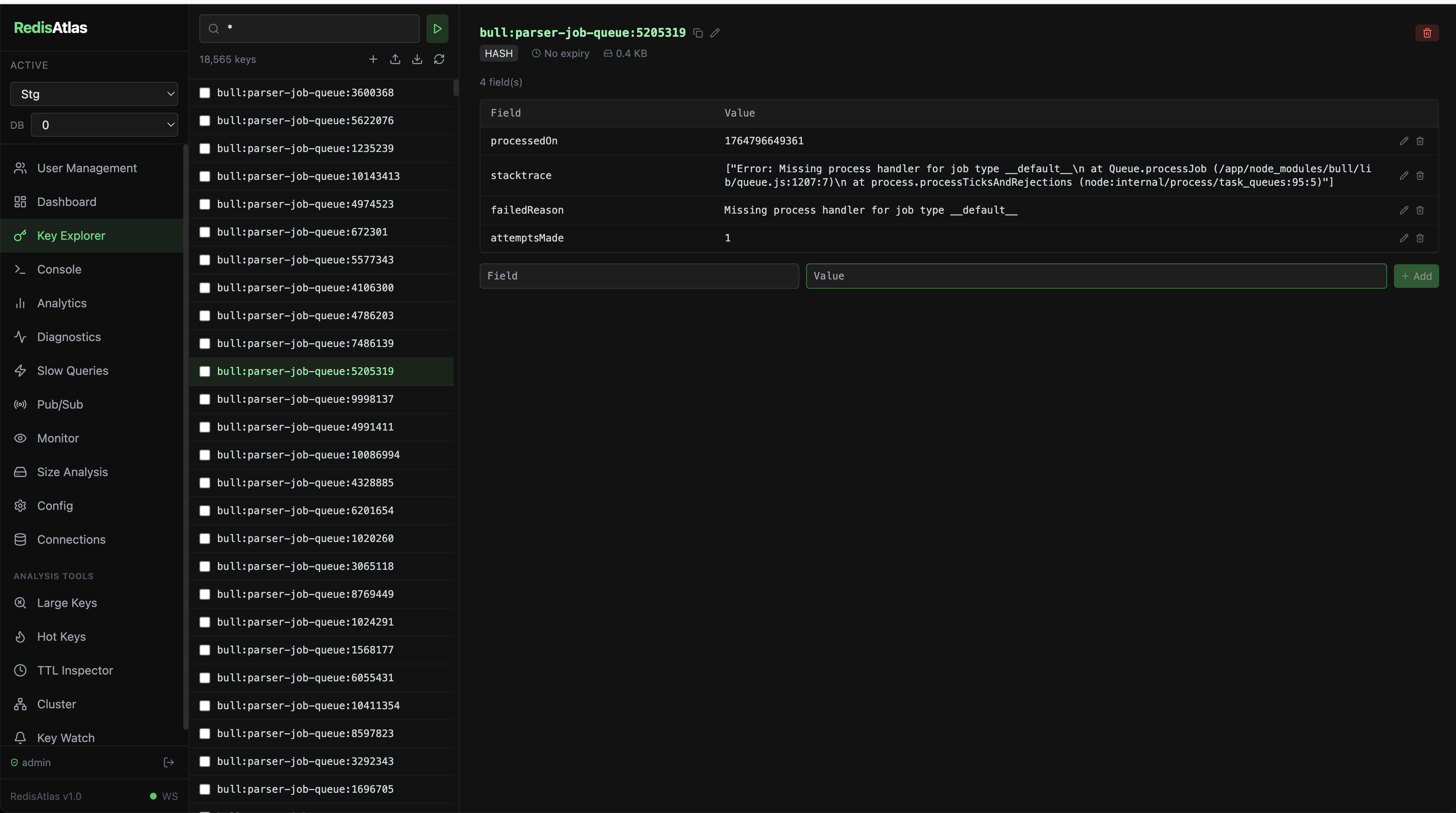
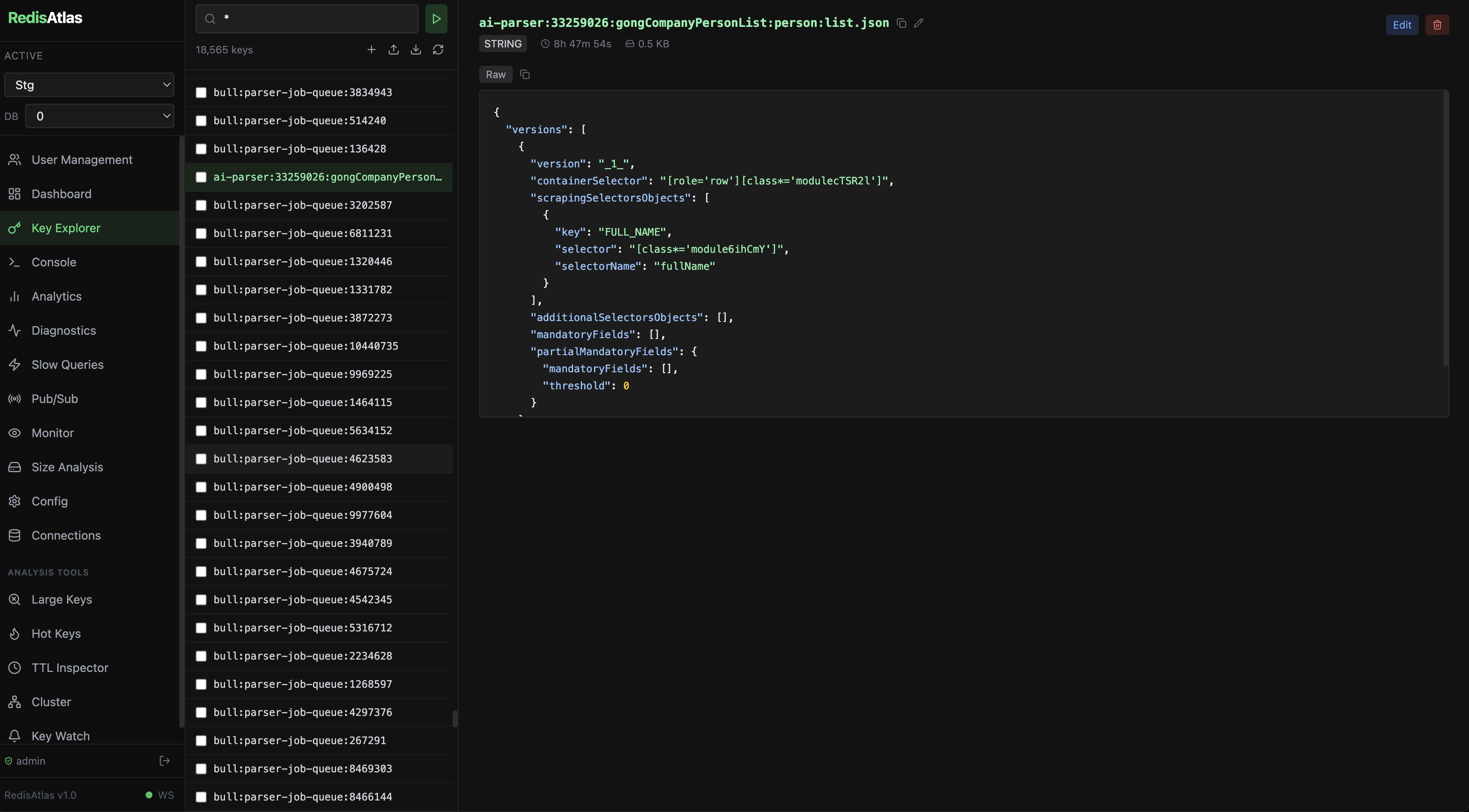
Browse, search, create, edit, and delete keys with bulk operations. Handles 100M+ keys with cursor-based pagination.
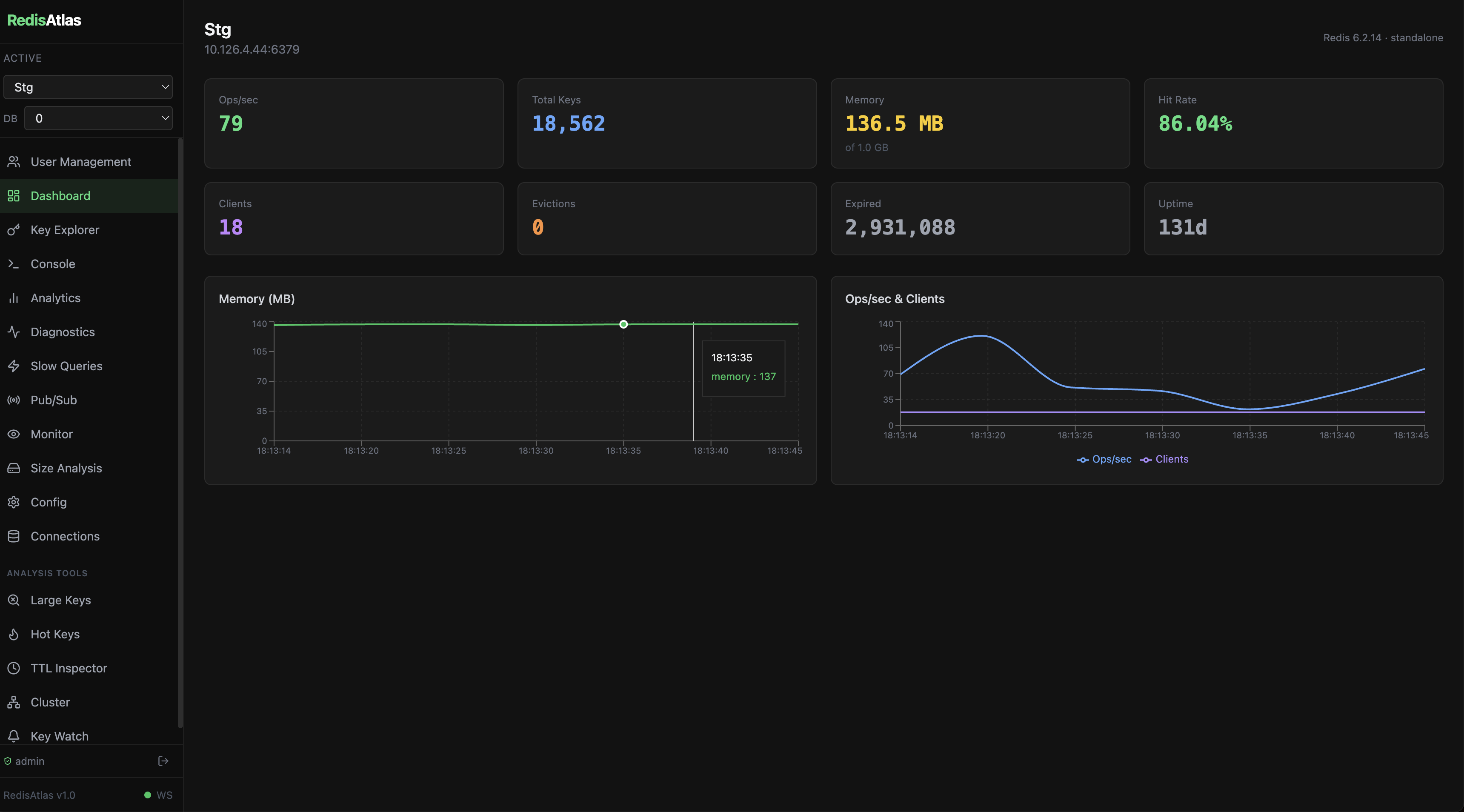
Live server metrics, memory usage, connected clients, and hit/miss ratios streamed over WebSocket.
Execute raw Redis commands directly with syntax highlighting and command history.
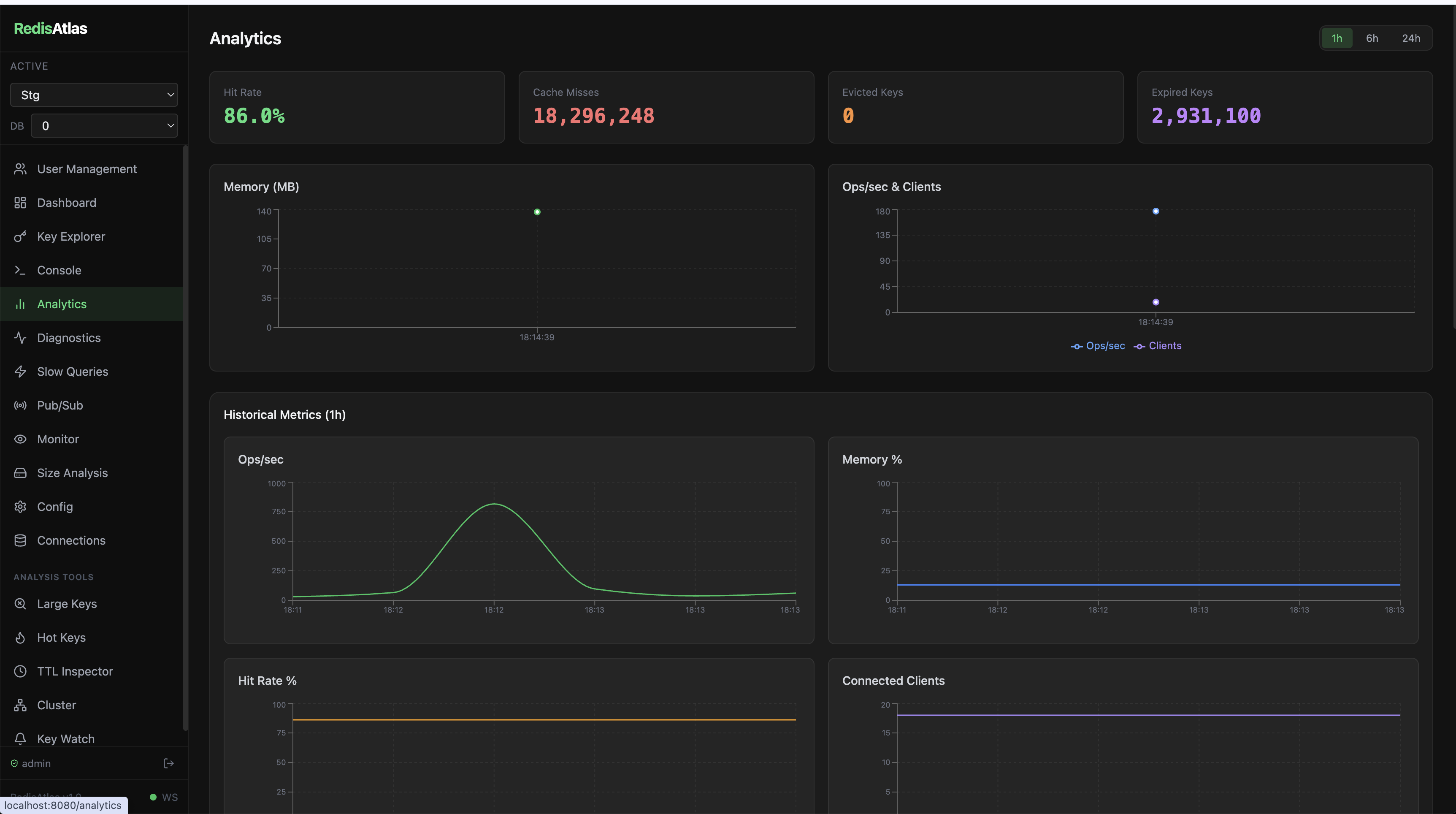
Hit rate, eviction trends, namespace breakdown, and 24-hour historical charts (1h / 6h / 24h) with interactive time-range selection.
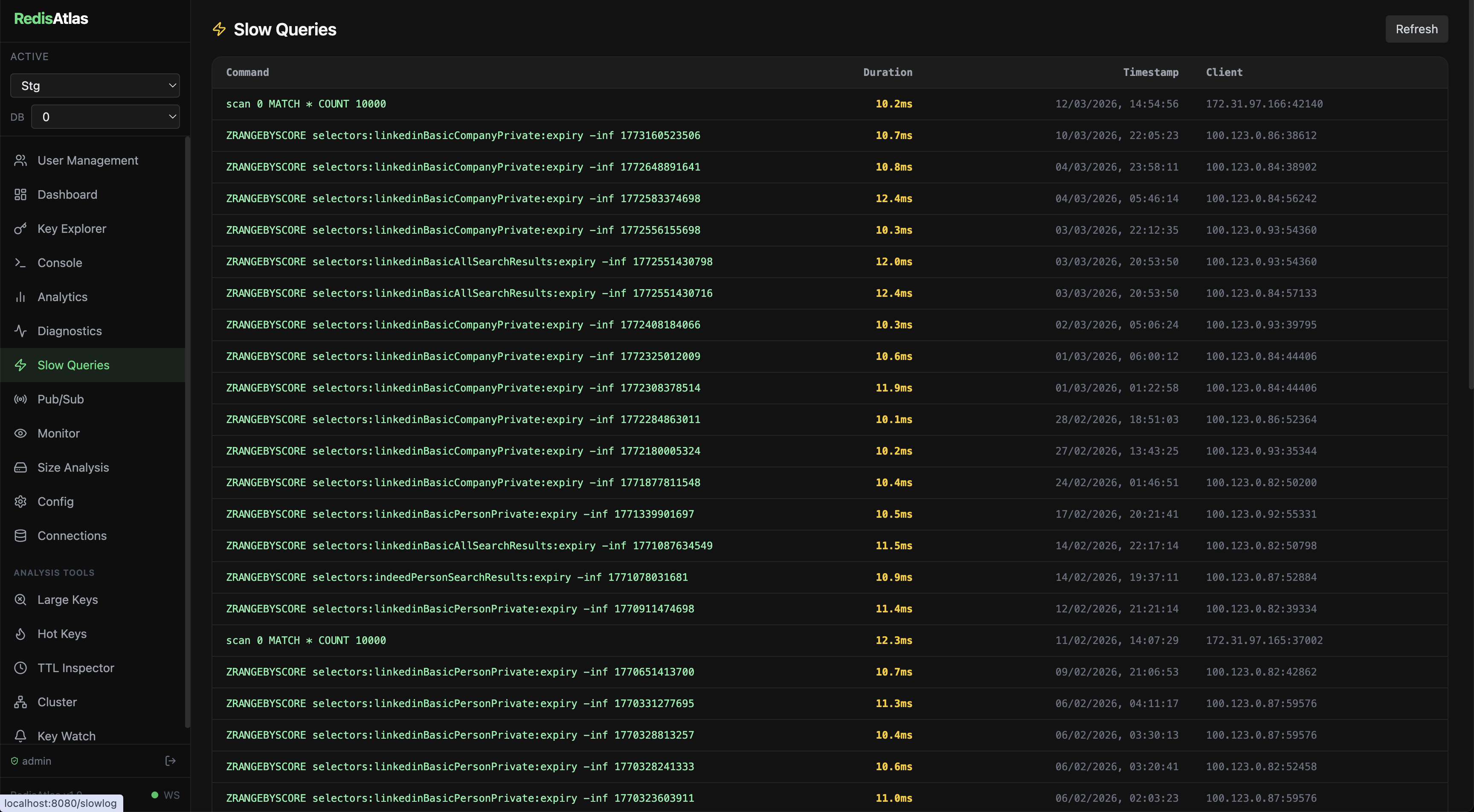
Visualize slow queries, identify bottlenecks, and optimize your Redis usage.
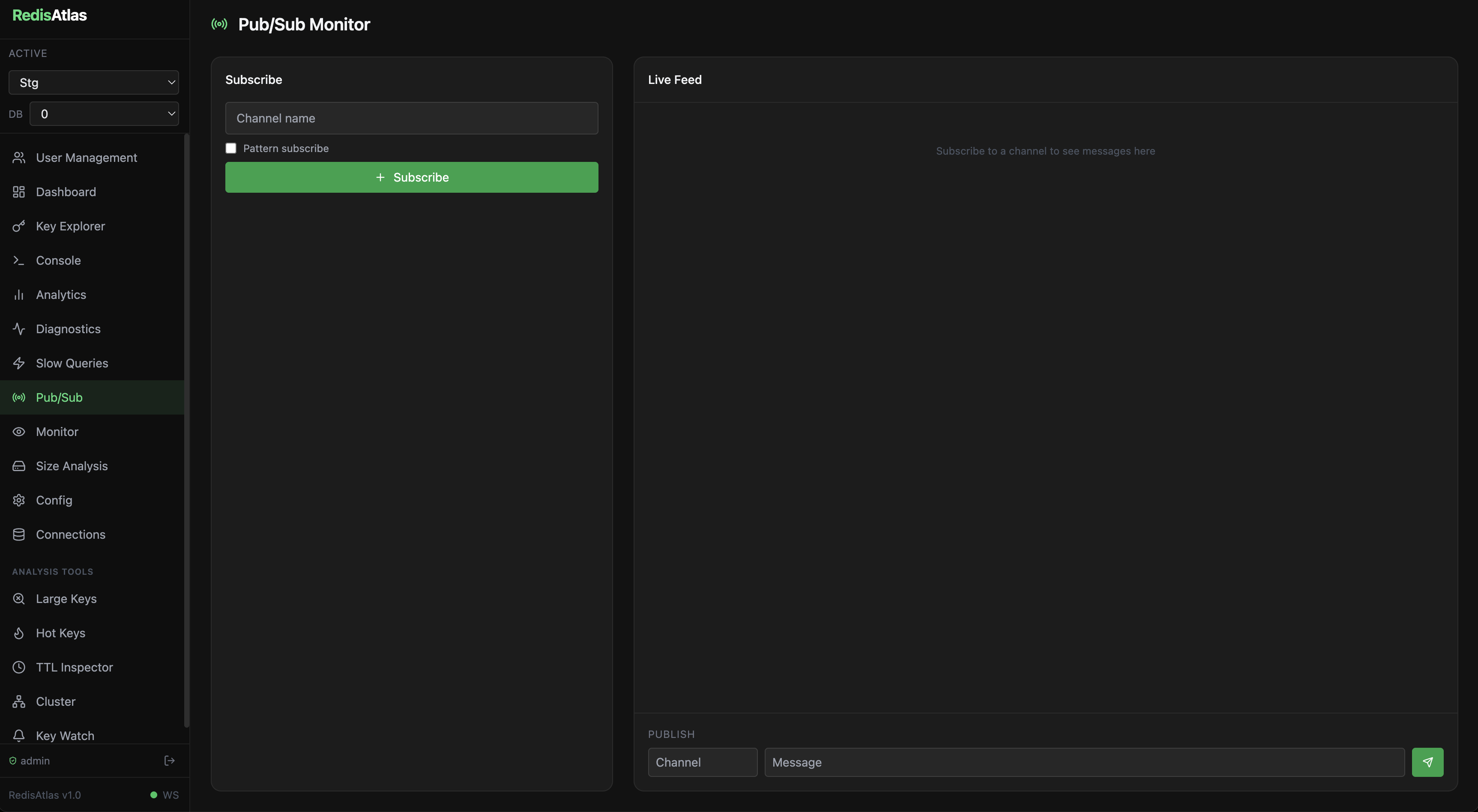
Publish messages and subscribe to channels and patterns in real time from the browser.
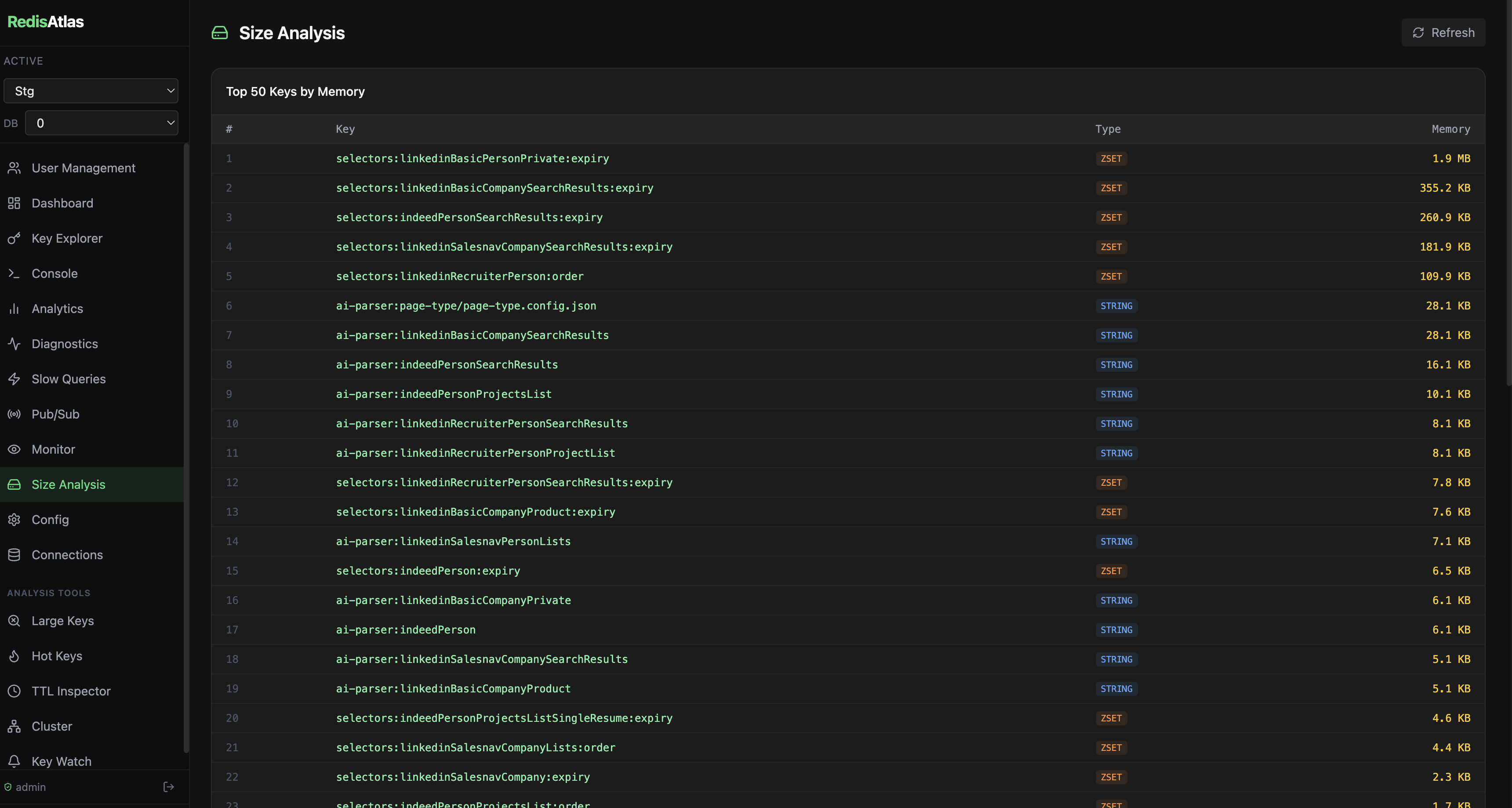
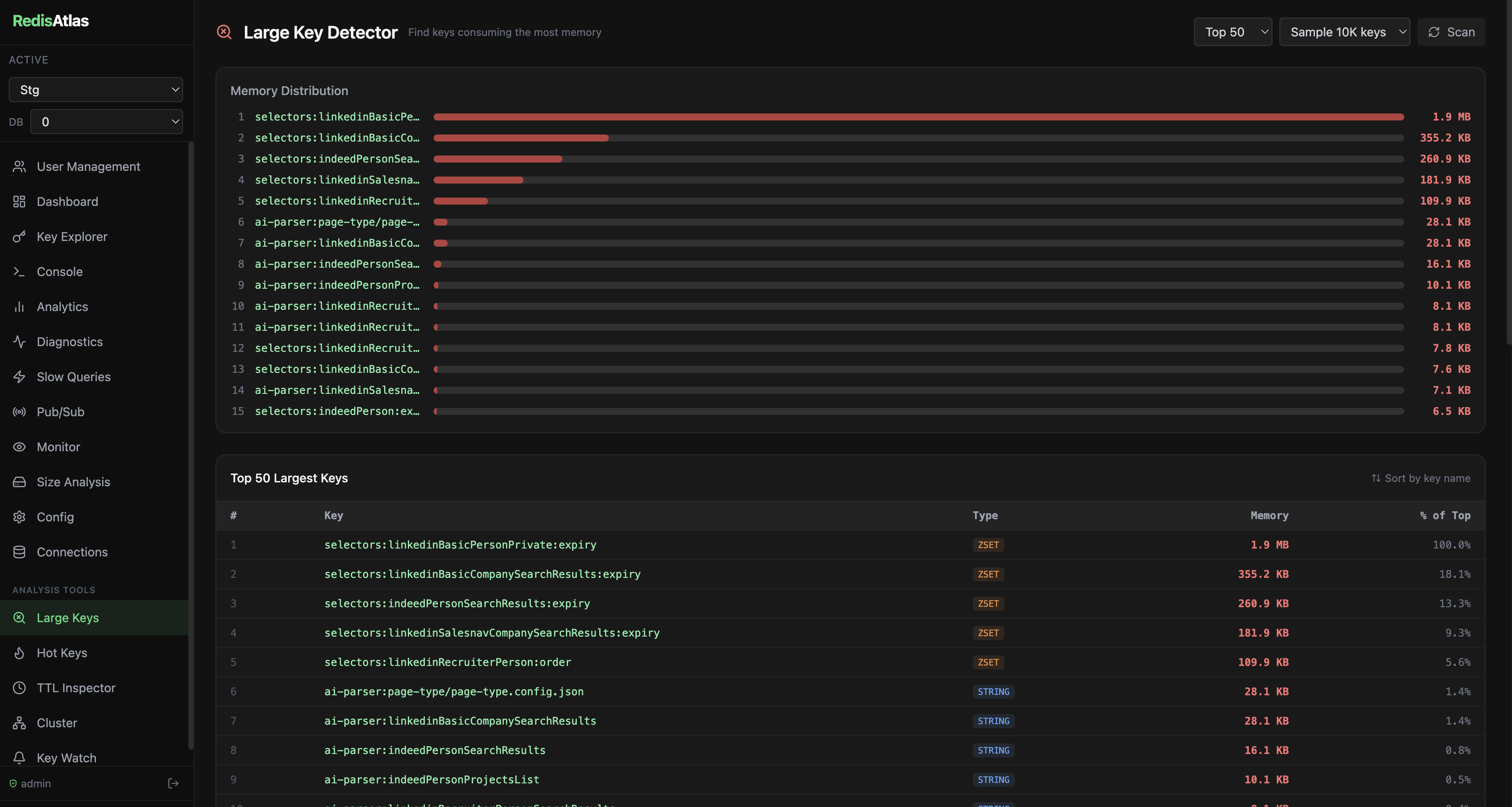
Find your biggest keys and memory hogs. Understand what's consuming your Redis memory.
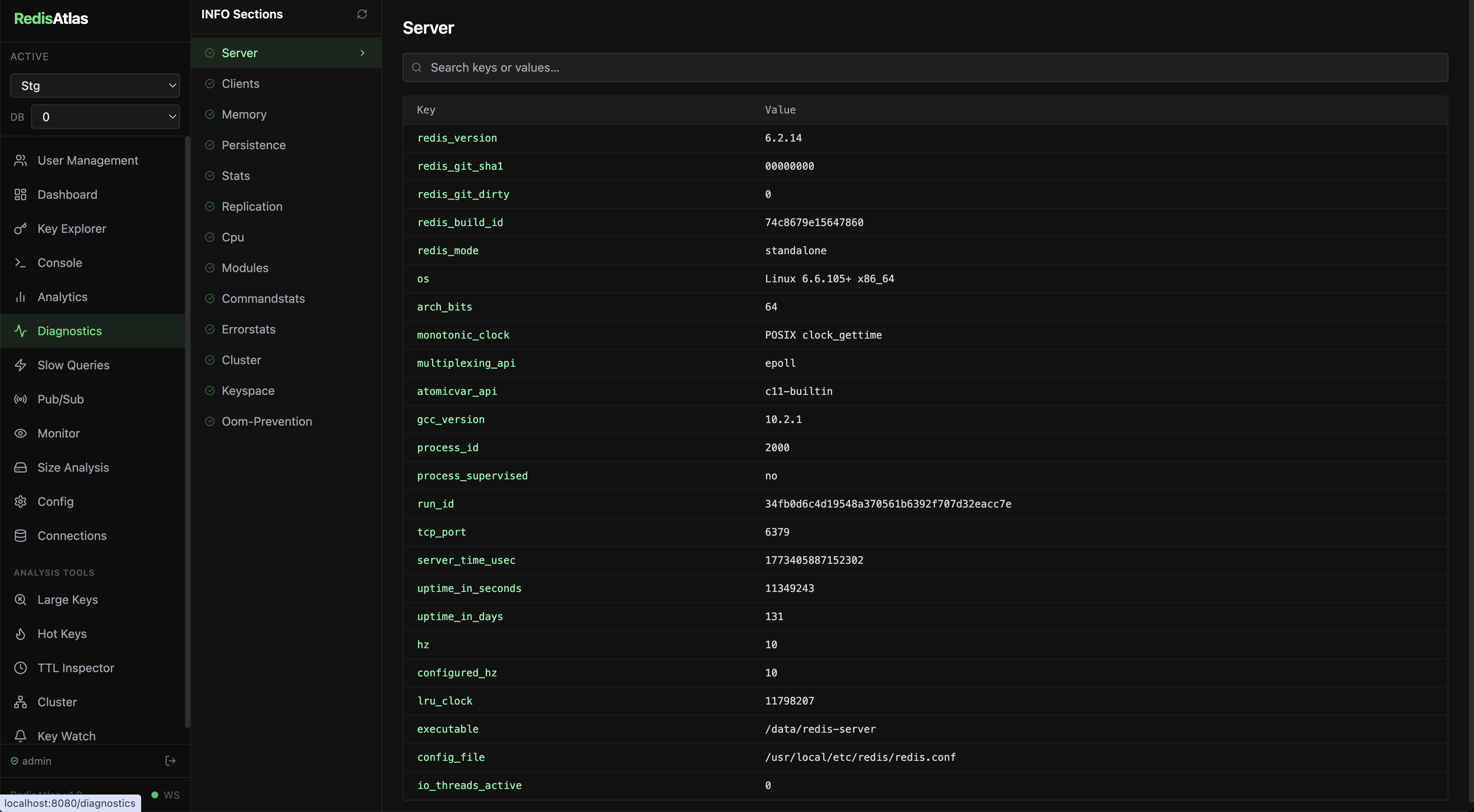
Full INFO ALL viewer across all sections with health indicators. Admin-only BGSAVE & BGREWRITEAOF triggers.
Import keys from JSON, CSV, or Redis command files with a 5-entry preview and overwrite control.
Inline add / edit / delete for individual Hash fields, List items, Set members, and ZSet scores — no full-key rewrites.
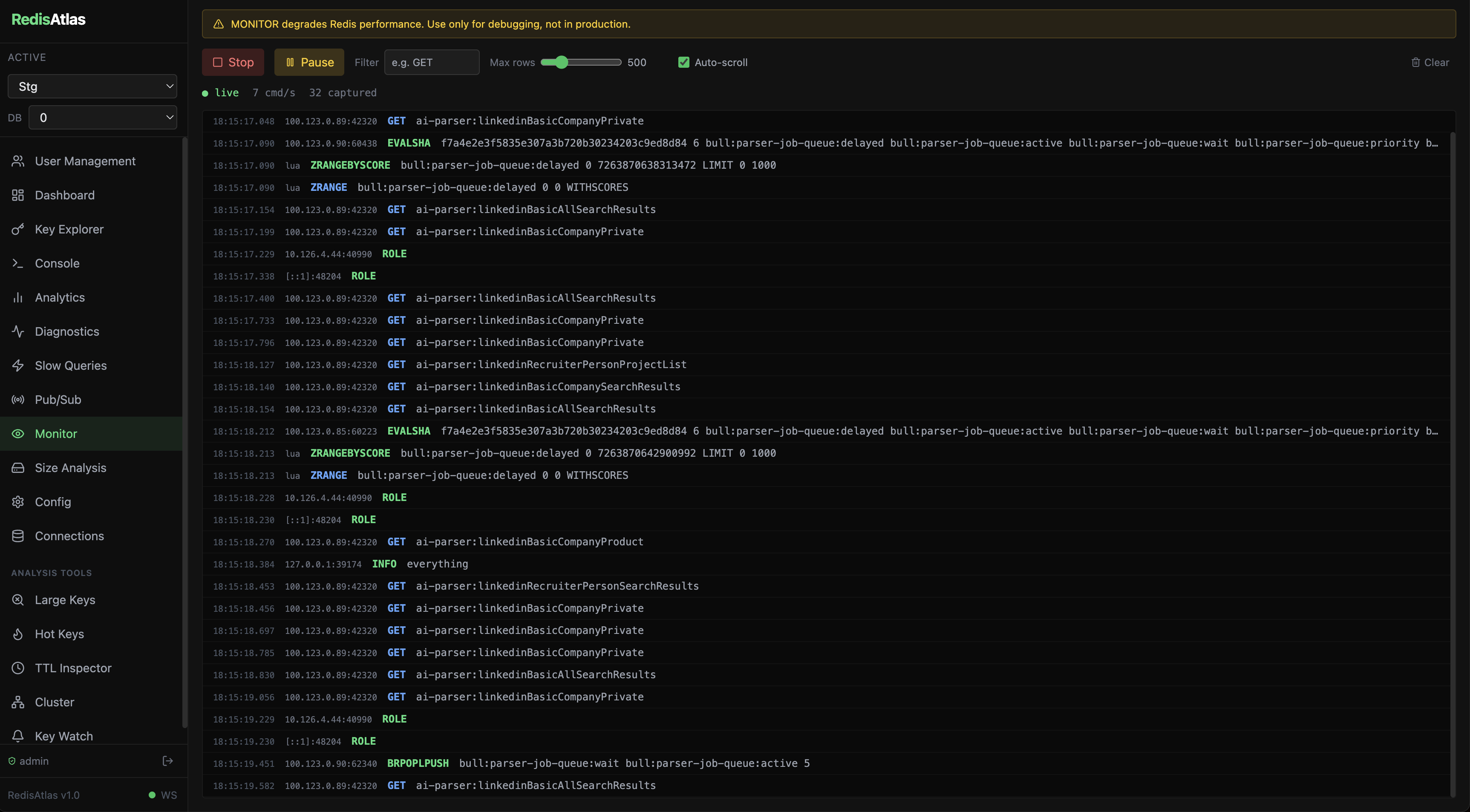
Stream every Redis command in real time. Filter by command, pause/resume feed, track cmd/s. Color-coded by operation type.
Watch key patterns for keyspace notification events — set, del, expired, hset, and more — streamed live via WebSocket.
Manage multiple Redis servers simultaneously from a single interface.
Role-based access control with admin and viewer roles. Invite team members securely.
Auto-detects cert mount and switches modes. Works plain HTTP out of the box, TLS when certs are provided.
Inspect and edit the full Redis server configuration inline. Type-aware inputs, dangerous-param warnings, session change history. Admin write, viewer read-only.
Full Redis Streams UI — browse entries, manage consumer groups, inspect pending messages, and ACK from the browser.
Namespace tree-view with key counts, memory usage bars, and one-click drill-down to the Key Explorer with a pre-set match filter.
Master/replica topology with per-replica lag gauge, sync state, native lag, and replication offset delta — refreshes every 5s.
RDB and AOF status with last-save age, bgsave in-progress detection, AOF rewrite status, and RPO estimate with color-coded freshness.
Live list of all connected clients with blocked-client alerts, flag decoder, idle time, and address/command filters.
Top-15 command breakdown from COMMANDSTATS — horizontal bar chart ranked by call count with µs-per-call tooltip.
LATENCY LATEST table showing event name, latest latency (ms), all-time max, and color-coded health: green <1ms, yellow <10ms, red >10ms.
Histogram of sampled keyspace TTLs across 8 buckets — from <1 min to no-TTL — so you can spot missing or runaway expiry policies.
Linear-regression projection of memory growth over your history window, with a red maxmemory reference line and estimated time-to-OOM.
Visual editor for Redis ACL users — command categories, key pattern restrictions, password management. No hand-editing of ACL strings required.
Load, browse, and test Redis 7+ Lua function libraries. Inline FCALL test runner with keys and args. Delete with confirmation.
Scan the keyspace for persistent keys with no TTL. Per-namespace count and estimated memory, with bulk TTL apply action.
Per-namespace encoding distribution with optimization recommendations and estimated savings. CSV export for cost attribution.
Track every outbound alert webhook delivery. Success-rate sparkline, per-row retry, and test-fire to validate endpoints before real alerts trigger.
Scrape-ready /metrics endpoint in text/plain exposition format — plug directly into Prometheus or Grafana Agent.
Linear-regression forecast on metrics history. Alert before a threshold is hit — configure a horizon (e.g. "2 hours") and let the math do the watching.
Cross-join of COMMANDSTATS × LATENCY HISTORY. Tier-coloured flame chart (critical / slow / normal / fast) with actionable recommendations per command.
Copy keys between Redis instances with SCAN + DUMP/RESTORE. TTL-preserving, pauseable, resumable. Pre-flight validation, live keys/sec progress.
Step through WATCH/MULTI/EXEC blocks visually. Inject competing writes mid-transaction to test abort handling — without touching production.
Browse HNSW/FLAT indexes when RediSearch is installed. FT.SEARCH query builder with field selectors and paginated results.
Create, drop, and query FT indexes through a schema form. RedisJSON + RediSearch module detection with graceful fallback when modules are absent.
Redis connection strings contain passwords to your production data. Don't route them through someone else's server.
No Redis passwords, connection strings, or data ever leave your infrastructure. Everything runs inside your own container.
Unlimited users, unlimited connections, unlimited keys. Deploy once and share with your entire team at zero additional cost.
Running on your own infra means queries go directly to Redis — no SaaS proxy latency, no rate limits, no cold starts.
Deploy inside your private network. Only your team can reach it — no public-facing dashboard, no attack surface.
A full walkthrough of RedisAtlas — key exploration, analytics, live monitor, diagnostics, and more.
The core tool is MIT licensed and free forever. Enterprise adds auth, compliance, and team features for organizations that need them.
We sit between lightweight dev tools and heavy enterprise offerings — self-hostable, web-based, and team-ready without vendor lock-in.
| Tool | Key Weakness | RedisAtlas Advantage |
|---|---|---|
| RedisInsight | Desktop-only Electron app, no team features, no SSO or audit logs | Web-based, multi-user RBAC, enterprise auth ✓ Web · Team-ready |
| ARDM | No real-time streaming, poor Redis Cluster support, no observability | WebSocket-native, cluster-aware topology, full observability suite ✓ Real-time · Cluster |
| Redis Commander | No auth, plaintext passwords in config, ancient UI | JWT + RBAC auth, modern React UI, command ACL enforcement ✓ Secure · Modern |
| Medis | macOS only, no monitoring, no multi-user, abandoned | Cross-platform Docker, full observability, actively maintained ✓ Cross-platform · Active |
| Redsmin | SaaS-only — data leaves your network, expensive, limited customization | Fully self-hosted, data stays on your infra, open-source core ✓ Self-hosted · Free core |
The full roadmap spans 50+ features across these domains. See ROADMAP.md for the complete breakdown — every feature includes implementation details, Redis commands, and UI concepts.
Key lifecycle tracker, command latency heatmap, blocked client detection, memory fragmentation analyzer, persistence health monitor.
Schema discovery, streams explorer, RedisJSON editor, SQL-like query interface, key diff viewer, dataset snapshots, CLI playground.
Keyspace heatmap, P50/P95/P99 latency graphs, memory OOM projection, eviction rate monitor, connected clients analyzer, replication lag dashboard.
SSO/SAML/LDAP, MFA (TOTP + WebAuthn), immutable audit logs, command ACLs, per-connection RBAC, Vault/AWS secrets management.
LLM performance advisor, schema inference, root cause analysis, statistical anomaly detection, natural language Redis queries.
Prometheus /metrics endpoint, pre-built Grafana dashboards, Datadog integration, Kubernetes operator, Terraform provider, webhook alerting.
Custom visualization panels via sandboxed iframe API, binary type renderers (MessagePack, Protobuf, Avro), monitoring and export plugins.
Manage 50+ Redis instances from one pane, statistical anomaly detection across the fleet, performance alerts, scheduled SIEM export.
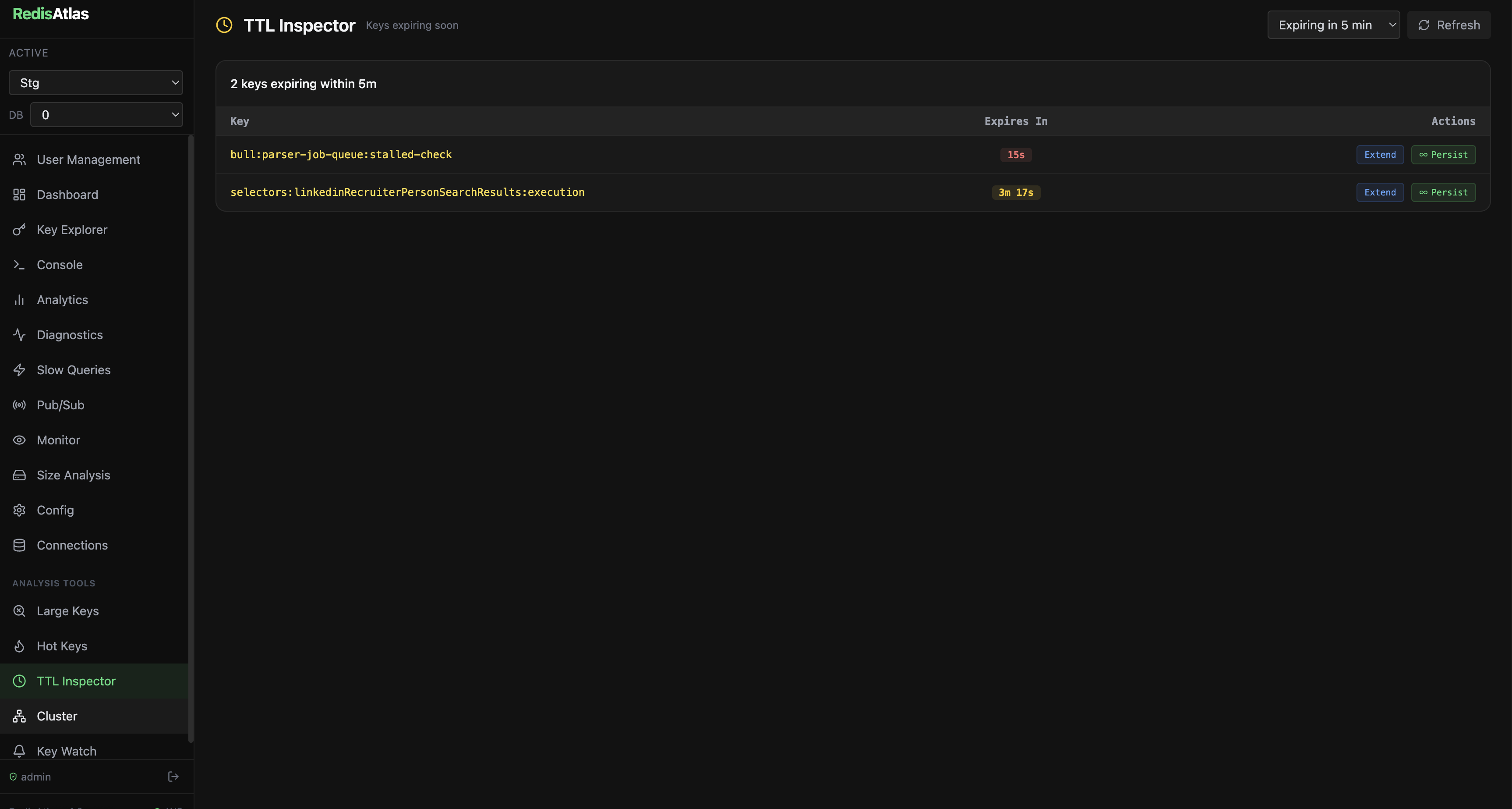
Real screenshots from a live Redis instance.


Choose your preferred deployment method.
Zero config. No certs needed. Perfect for local development.
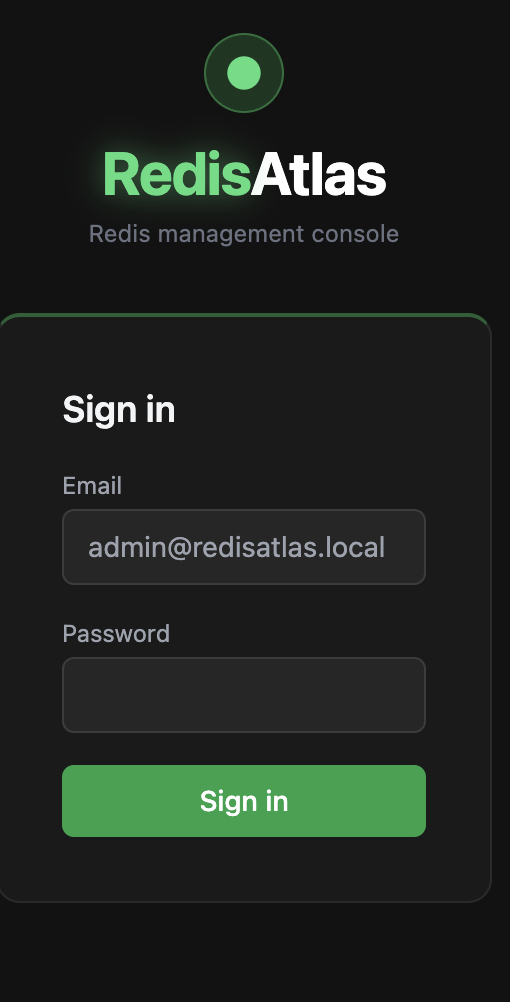
Open http://localhost:8080 and log in with your ADMIN_PASSWORD.
Mount a cert pair — the image switches to HTTPS automatically.
Open https://localhost:8443 — padlock, no browser warnings.
Recommended for persistent deployments.
Set DATABASE_URL to persist data across restarts. Three drivers are auto-selected from the scheme:
postgresql://… for managed Postgres,
sqlite:/data/redisatlas.db for single-file zero-infra persistence (just mount a volume), or leave it unset for memory-only mode.
No Docker required. Data stored locally — connections and settings persist across restarts out of the box.
Apple Silicon & Intel · DMG installer
Just download and run — no daemon, no containers.
PGlite stores data on disk — no external database required.
Built-in updater checks GitHub Releases on startup.
Runs in background, stays accessible from the menu bar.
Default login credentials
admin@redisatlas.local / admin
Releases & changelog
github.com/NexaLeaf/redisatlas-docs/releases →Three processes in one container, managed by supervisord. Simple to deploy, easy to understand.
| Variable | Default | Description |
|---|---|---|
JWT_SECRET | — | Required. Secret used to sign auth tokens. Use a long random string in production. |
ADMIN_PASSWORD | — | Required. Password for the default admin account, seeded on first boot. |
COOKIE_SECURE | auto | Set automatically by entrypoint. true in HTTPS mode, false in HTTP mode. |
DATABASE_URL | — | Optional. Database connection string — driver picked from the URL scheme. When unset the app runs in memory-only mode. • PostgreSQL: postgresql://user:pass@host:5432/redisatlas• SQLite (file): sqlite:./data/redisatlas.db · sqlite:/var/lib/redisatlas/data.db• SQLite (memory, ephemeral): sqlite::memory:
|
PGLITE_PATH | — | Optional. Path to an embedded PGlite database directory (e.g. /data/pglite). Takes precedence over DATABASE_URL. Used by the desktop app for zero-config persistence. |
REDIS_CACHE_URL | — | Optional. Redis URL used to cache expensive Redis ops (INFO, SCAN, namespace analysis). Falls back to in-memory cache when unset. |
PORT | 3001 | Internal backend API port. |
| Permission | Admin | Viewer |
|---|---|---|
| View keys & metrics | ✅ | ✅ |
| Execute Redis commands | ✅ | ✅ |
| Use Live Monitor & Key Watch | ✅ | ✅ |
| Create / edit / delete keys | ✅ | ❌ |
| Import keys | ✅ | ❌ |
| Trigger BGSAVE / BGREWRITEAOF | ✅ | ❌ |
| Manage connections | ✅ | ❌ |
| Manage users | ✅ | ❌ |
| View Audit Log | ✅ | ❌ |
| Manage Alert Rules | ✅ | ❌ |